
UPC codes explained: how to get one from GS1, the right size, and where it goes on your pack
Buying the number is the easy part. Here's how to get a UPC from GS1, then size, colour and place the barcode so it scans.
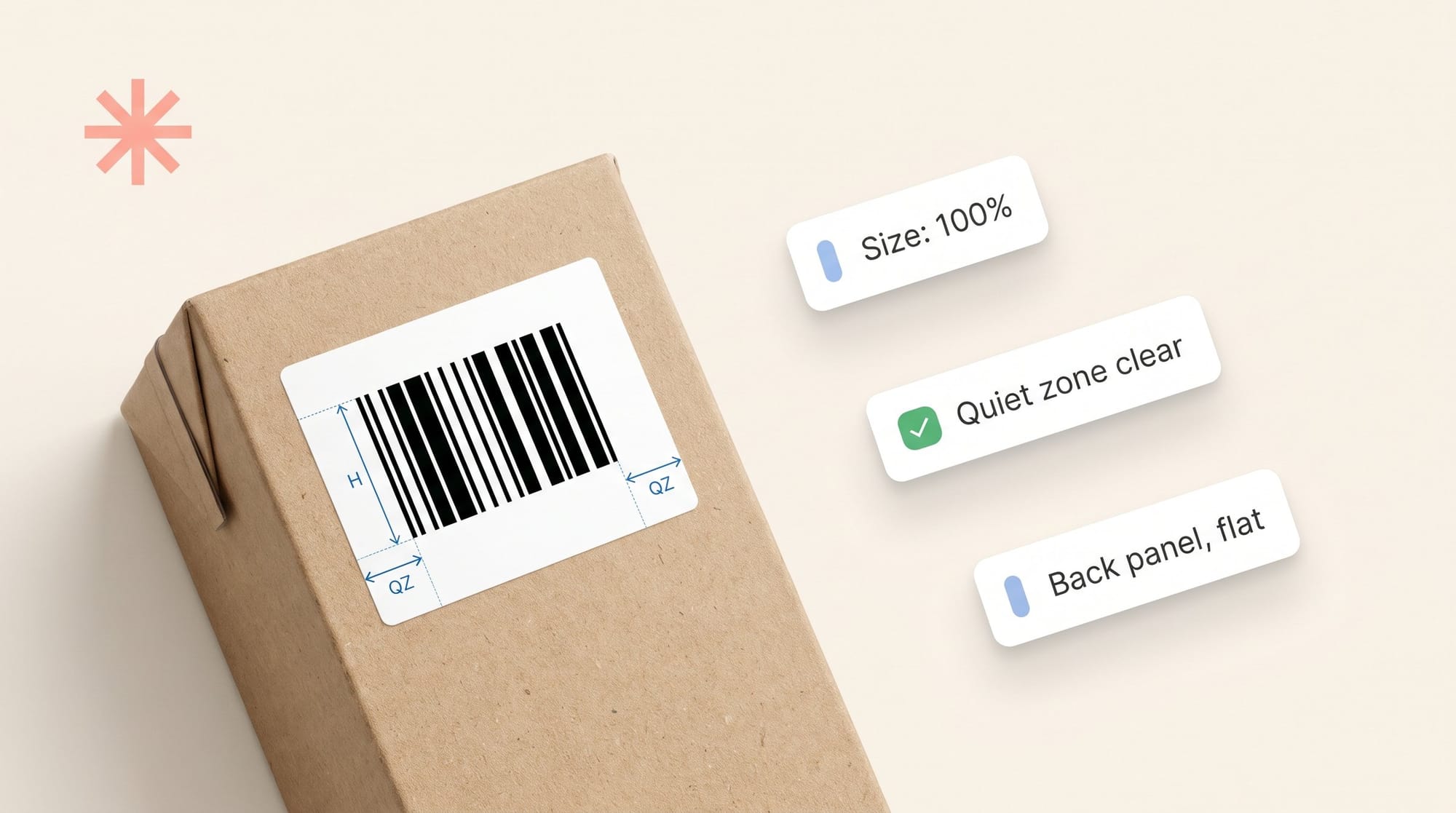
A UPC code is the 12-digit number under the barcode on a retail product. It's a GTIN-12, a Global Trade Item Number licensed from GS1. The number tells a store's system exactly which product, size and variant is at the till. The barcode bars are that same number in a form a scanner can read.
Getting the number is the easy part. Packs fail at the next step: a barcode shrunk to fit, bars printed in brown, a code wrapped round a jar. This guide covers how to get a UPC, then the size, colour and placement rules that decide whether it scans.
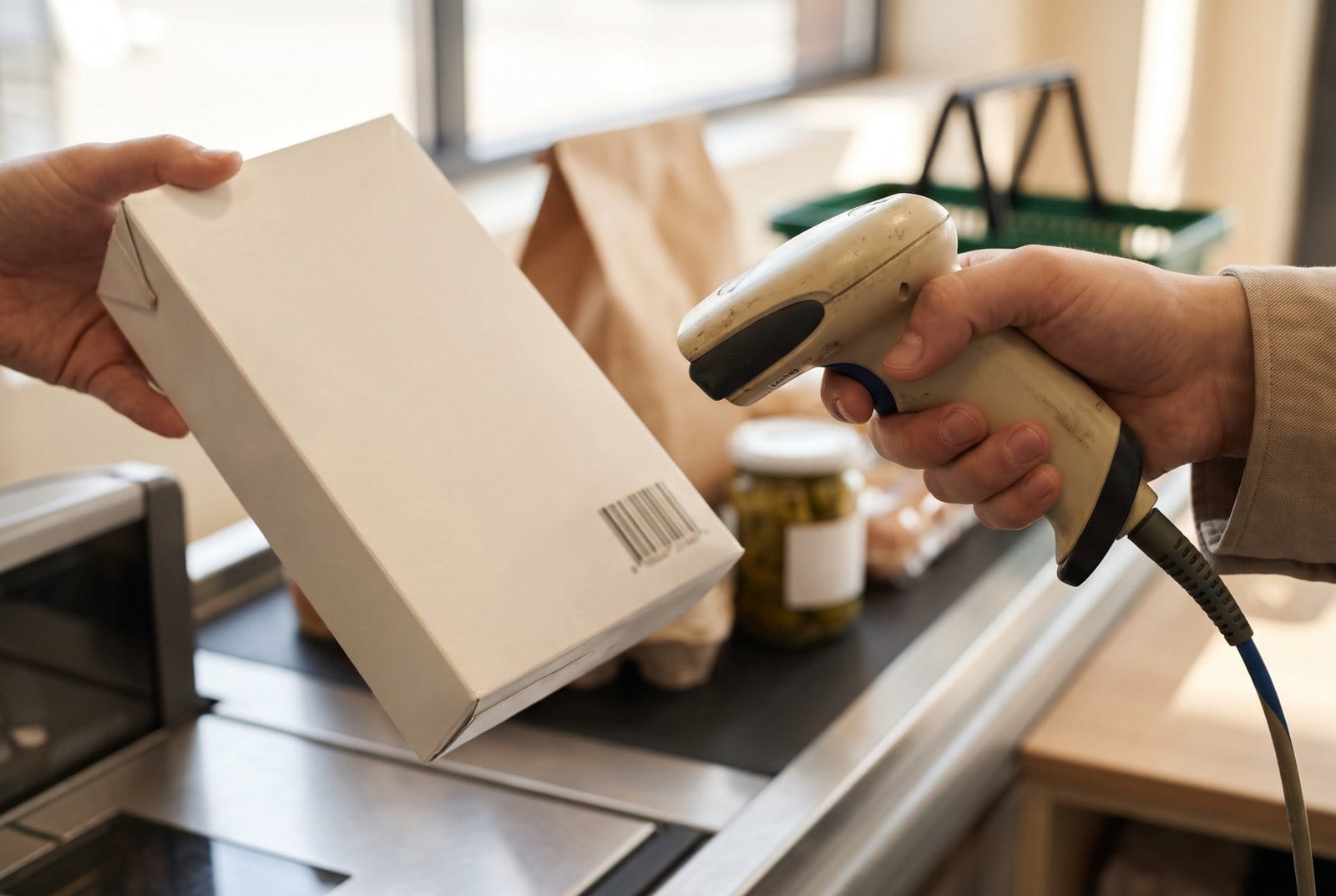
UPC, GTIN and barcode: what each word means
- GTIN is the number. It identifies one trade item: one product, in one size, in one pack.
- UPC usually means a GTIN-12. It's the format most used in the US and Canada.
- The barcode is the symbol that carries the number. A GTIN-12 goes in a UPC-A barcode.
A UPC-A starts with your GS1 company prefix. Next comes the item reference you assign to each product. The last digit is a check digit, calculated from the other 11, so a scanner can spot a misread.
Every distinct item needs its own GTIN. GS1 US says each size, flavour or pack style gets its own number. Say Nourish & Co. sells its Peanut Butter Crunch bar on its own and in a 12-bar box. That's two GTINs. A new Daily Greens flavour is a third.
How to get a UPC code from GS1
In the US, UPCs come from GS1 US. In other countries, you go to your local GS1 member organisation. Here are the steps for GS1 US.
- Count your items. List every product, size, flavour and pack you'll sell at retail, plus next year's launches.
- Pick an option. If you need one or two numbers, buy single GTINs. If you need more, license a GS1 Company Prefix. It gives you a block of numbers.
- Buy it on gs1us.org. Add the option to your cart, enter your company details and pay. You get a welcome email with access to myGS1 US.
- Assign a number to each product. Do this in GS1 US Data Hub. Add the product name, brand and size so retailers can look it up.
- Make the barcode artwork. Turn each GTIN into a UPC-A or EAN-13 barcode at the right size (see below).
- Place it, proof it and test the print. Check the barcode on the real pack before the full run.
Prices on gs1us.org in November 2026:
| Option | Numbers | Initial fee | Yearly fee |
|---|---|---|---|
| Single GS1 US GTIN | 1 | $30 | $0 |
| GS1 Company Prefix | 10 | $250 | $50 |
| GS1 Company Prefix | 100 | $750 | $150 |
| GS1 Company Prefix | 1,000 | $2,500 | $500 |
GS1 US can change these prices, so check the GS1 US get-started page before you buy.
A note on cheap UPCs from resellers. Those numbers are licensed to someone else's company, not yours. Retailers and marketplaces can check who a number belongs to with Verified by GS1. A mismatch can cause problems with a listing. If you sell through big retailers or Amazon, license your own.
UPC vs EAN: which one do you need?
EAN-13 is the 13-digit version used in most of the world. Both are GS1 barcodes, and they're built on the same system.
| UPC-A | EAN-13 | EAN-8 | |
|---|---|---|---|
| Number it carries | GTIN-12 | GTIN-13 | GTIN-8 |
| Where it's used most | US and Canada | Europe, UK, Australia, Asia and most other markets | Very small packs, mostly outside North America |
| Quiet zone (left / right) | 9X / 9X | 11X / 7X | 7X / 7X |
| Scanned at US tills? | Yes | Yes, since GS1's Sunrise 2005 | Check with your retailer |
X is the width of the narrowest bar. More on that below.
Use the barcode your GS1 organisation issued for your market. Most US brands print UPC-A. If you also sell abroad, ask your retailers before you print two versions.
Barcode size: magnification and bar height
This is the part most guides skip. A barcode has a fixed shape. You can make it bigger or smaller, but only as a whole and only within limits.
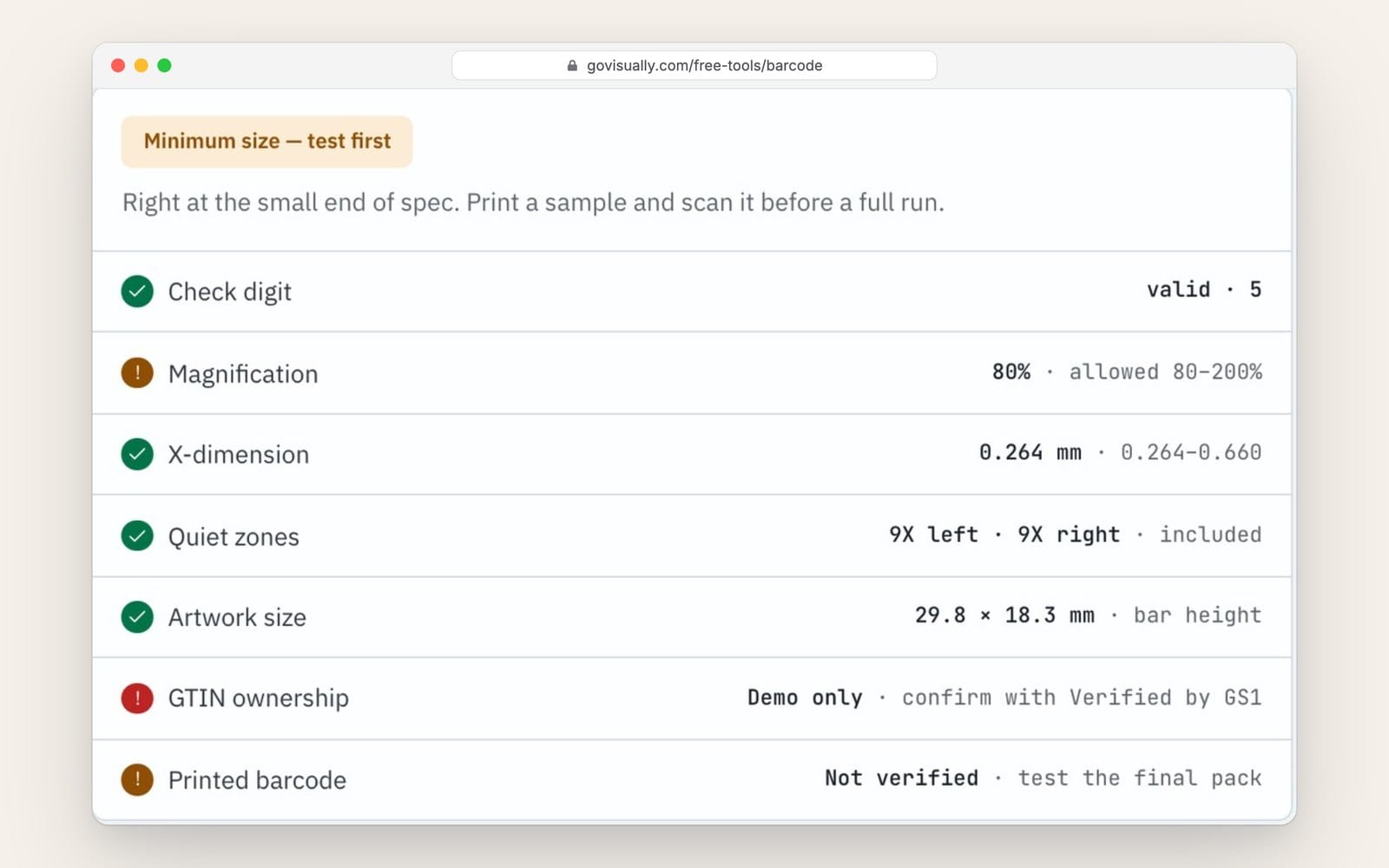
- 100% size means the narrowest bar (the X-dimension) is 0.33 mm wide.
- The allowed range is 80% to 200%. That's an X-dimension of 0.264 mm to 0.660 mm.
- At 100%, a UPC-A has bars 22.85 mm tall. With its quiet zones, it's about 37.3 mm wide.
- At 80%, it's about 29.8 × 18.3 mm. That's the smallest it should go.
Two mistakes cause most problems:
- Stretching. Width and height must scale together. Never drag one handle to fit a space.
- Truncating. Cutting the bars shorter. GS1 says don't. A short barcode only scans at one angle.
Need a different size? Make the barcode again at that size.
The quiet zone: leave the space empty
The quiet zone is the blank space to the left and right of the bars. The scanner uses it to find where the barcode starts and stops.
- UPC-A: at least 9X on each side. At 100%, that's about 3 mm.
- EAN-13: 11X on the left and 7X on the right.
- Nothing goes in it. No text, border, frame, pattern, varnish effect or edge of a photo.
A box drawn round the barcode often sits right on top of it.
Bar colour and contrast
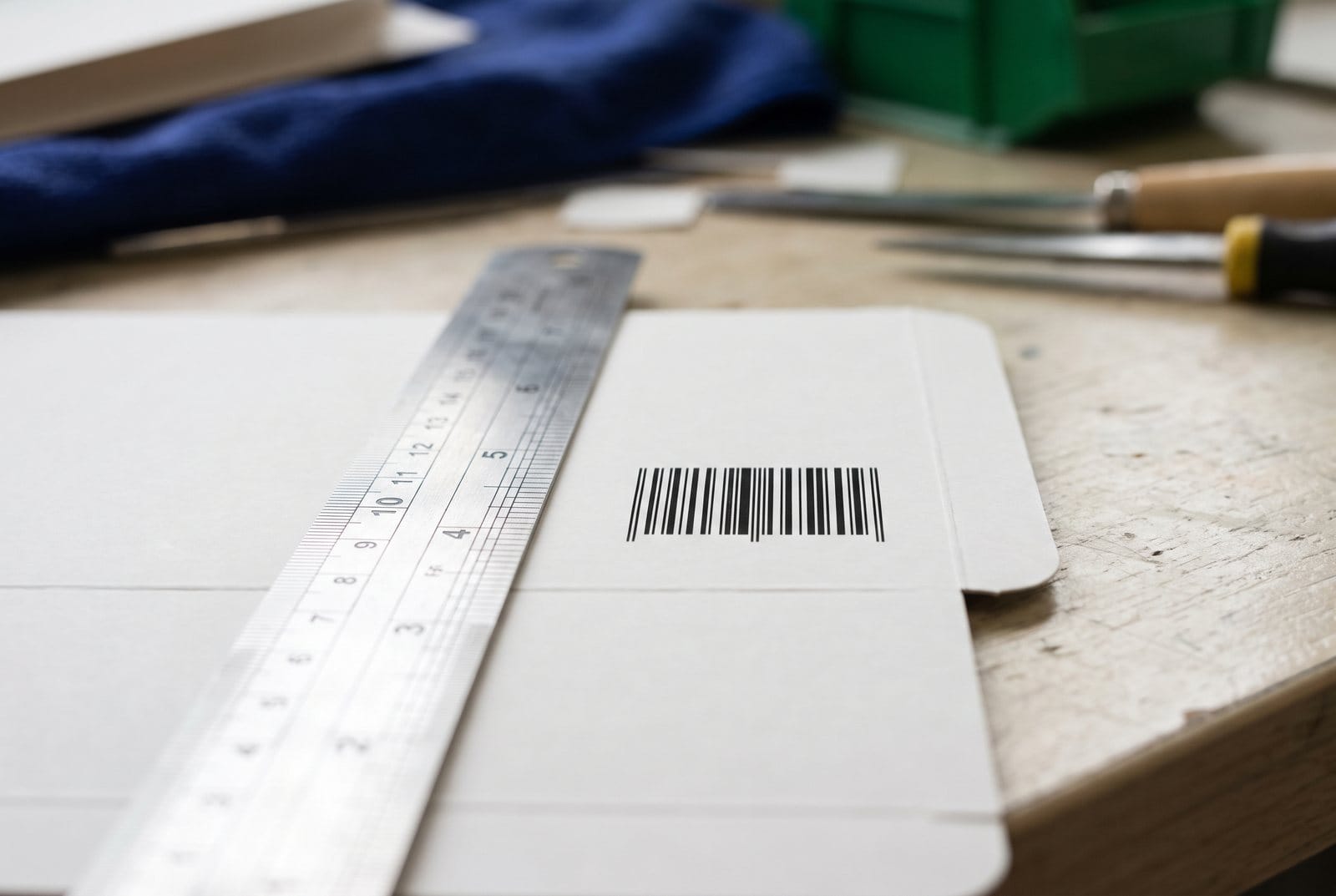
Most till scanners read with red light. What looks dark under red light works as a bar. What looks light works as a space.
- Best: black bars on a white background.
- Fine for bars: other dark colours, such as dark blue or dark green.
- Don't use for bars: red or reddish colours, such as orange or brown. Under red light they look like spaces.
- Background: light. White is safest. A red background reads as light, so it can work, but test it.
- One ink: print the bars in a single solid colour, not built from four process colours. That keeps the bar edges sharp.
Where the barcode goes on the pack
GS1's placement rules for retail packs come down to a short list:
- Back of pack, lower right. That's GS1's preferred spot. The bottom of the pack is the usual alternative.
- Keep it 8 mm to 100 mm from the nearest edge. Cashiers' thumbs cover codes near edges.
- Keep it flat. Never on folds, flaps, seams, perforations, die-cuts or tight curves.
- On round packs like jars and cans, the direction of the bars matters. GS1 has rules for how much curve a code can take. Ask your printer before you lock the layout.
Check placement on the dieline. A barcode that looks fine on screen can land on a glue flap once the box is folded. Our free dieline generator shows the panels so you can see where it falls.
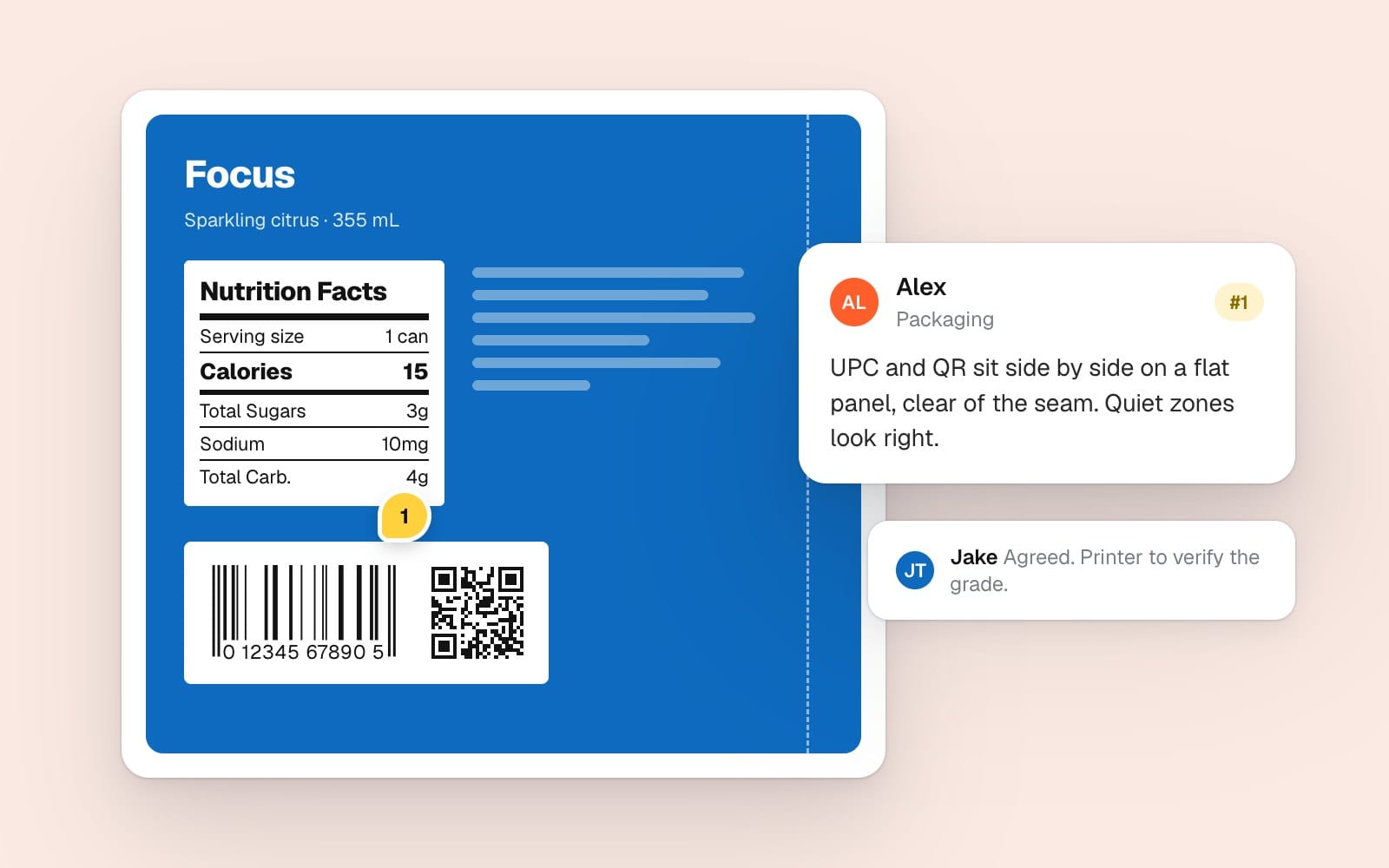
GS1 Sunrise 2027: QR codes at the till
Sunrise 2027 is GS1 US's name for the retail move to 2D barcodes. GS1 calls the worldwide goal Ambition 2027. The aim is that by the end of 2027, till scanners can read a 2D barcode as well as a UPC.
What that means for your pack:
- Your UPC stays. GS1 says linear barcodes like UPC and EAN won't go away. Packs with a 2D code will carry both during the change.
- The approved 2D codes are a QR code using GS1 Digital Link, Data Matrix using GS1 Digital Link, and GS1 DataMatrix.
- A GS1 Digital Link QR holds your GTIN plus extras such as batch or expiry date. A shopper's phone can open a product page from it.
- Put the 2D code near the UPC. GS1 says within 50 mm of the centre of the linear barcode, so the till knows they belong together.
- Update old QR codes. A plain marketing QR doesn't carry the GTIN. GS1 US asks brands to move to GS1 Digital Link.
Sunrise 2027 is an industry target, not a law. Ask your main retailers what they want, then plan the QR into your next artwork refresh.
Make the barcode artwork
Once you have your GTIN, our free Barcode Generator turns it into print artwork. It's one of our free packaging design tools. Here's what it does:
- Makes UPC-A, EAN-13, EAN-8 and GS1 Digital Link QR codes, and checks the check digit.
- Sizes from 80% to 200% with the quiet zones built in.
- Exports SVG or high-res PNG to place in Illustrator. Bulk mode turns a CSV of up to 500 GTINs into a ZIP.
- Runs in your browser, so your GTINs aren't uploaded. You enter your email once to download.
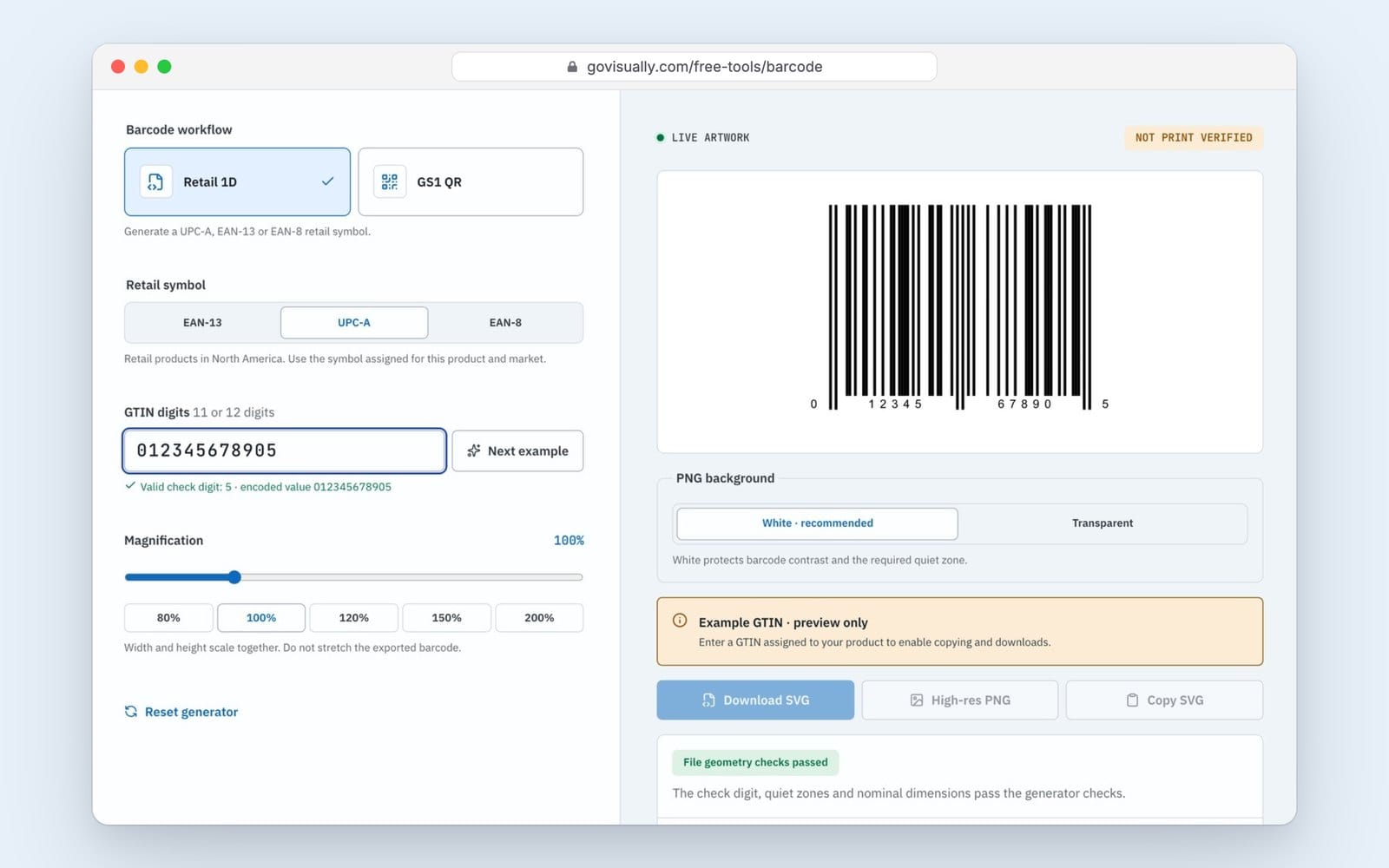
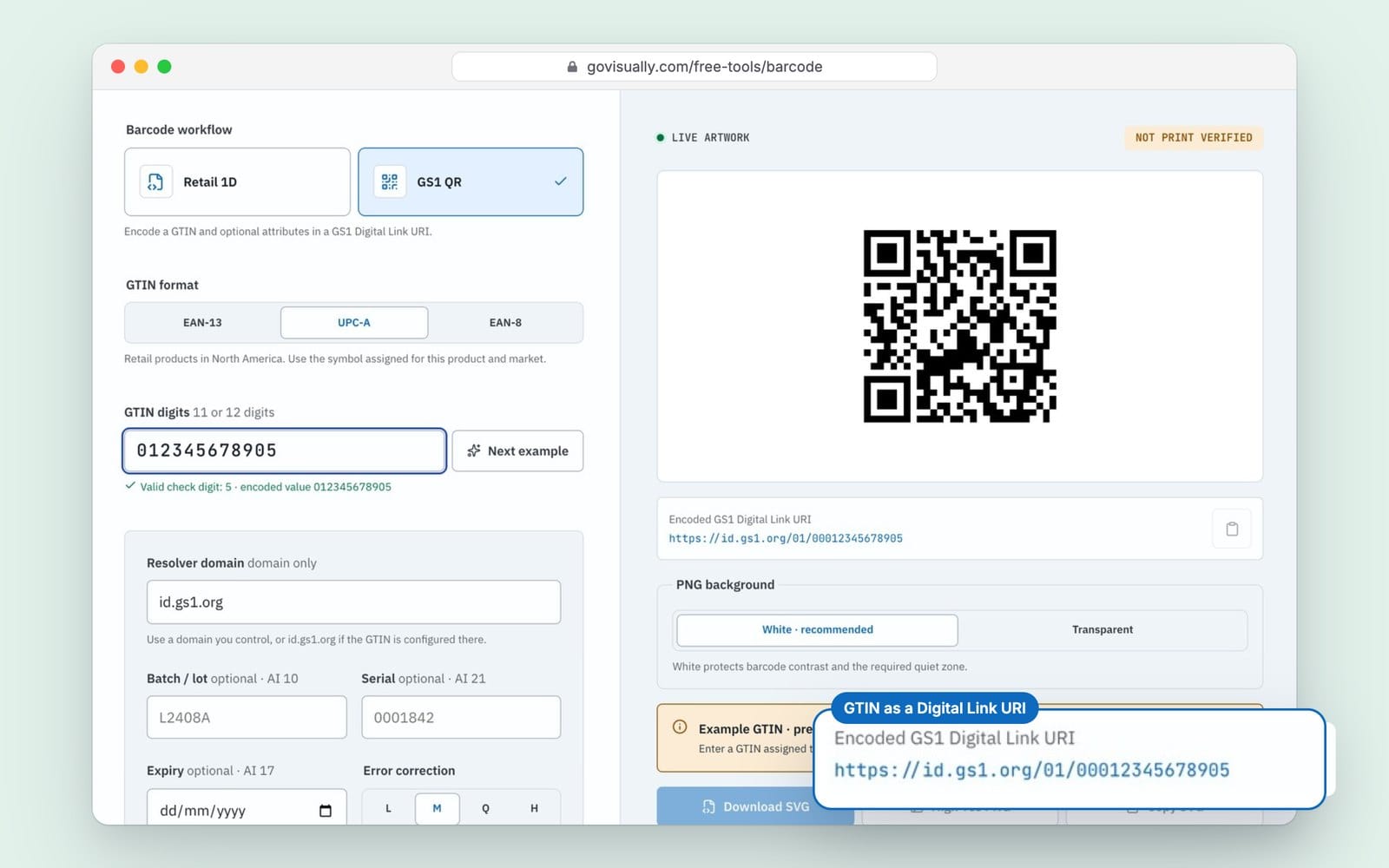
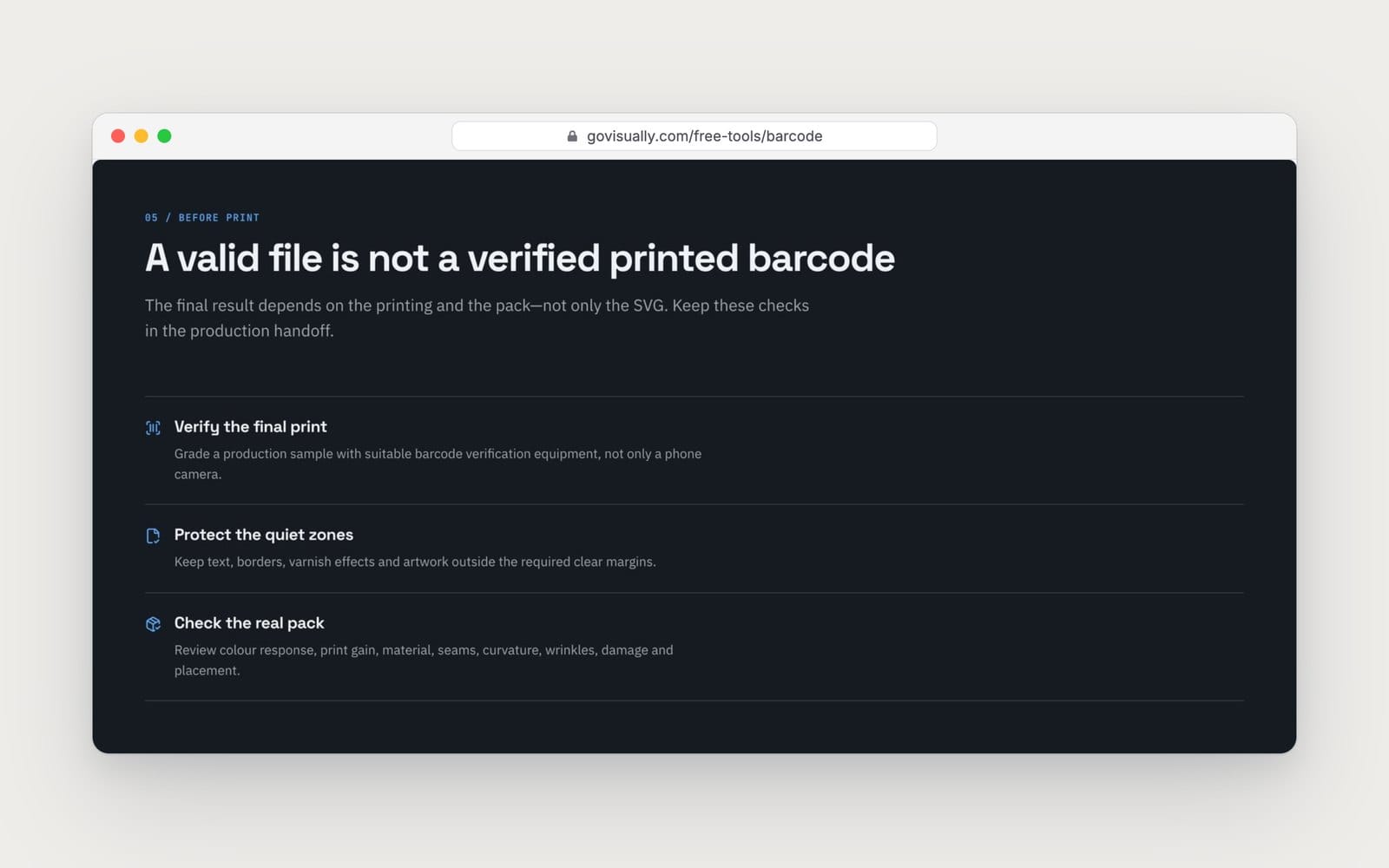
A correct file is only half the job. Ink spread, material and curve all change how the code prints, so the tool marks every code "not print verified". Ask your printer to grade a printed sample with a barcode verifier. A phone camera isn't the same test.
Barcode checklist before you approve the artwork
- The GTIN is licensed to your company and matches this exact item, size and pack.
- The size is between 80% and 200%, not stretched and not cut short.
- The quiet zones are clear on both sides.
- The bars are one dark ink on a light background. No red, orange or brown bars.
- It's on a flat panel, 8 mm or more from the edge, away from folds and seams.
- The number on the pack matches the number in your product records.
- A printed sample has been checked with a verifier.
Number mix-ups creep in over time. A designer copies the barcode from last year's pack, or a variant gets its sister product's number. With label compliance checks in GoVisually, three checks help:
- AI Smart Compare lists what changed between two versions of a PDF, sorted by type, and barcode is one of the types. It reads the digits printed as text, so a changed number shows up for someone to check.
- Print readiness sits in the review sidebar. It flags file problems that hurt barcodes, such as strokes under 0.25 pt, overprint settings and RGB colour. It doesn't grade the barcode itself.
- AI playbooks let you write your own barcode rule, such as "UPC-A on the back panel, lower right, quiet zones clear". Our Intelligence Engine marks what to look at. A person makes the call.
Frequently asked questions
Is a UPC the same as a barcode?
Not quite. The UPC is the 12-digit number. The barcode is the pattern of bars that carries it.
How much does it cost to get a UPC barcode?
At GS1 US, a single GTIN costs $30 with no yearly fee. A Company Prefix for 10 numbers costs $250, then $50 a year. Bigger blocks cost more. These are November 2026 prices, so check gs1us.org before you buy.
Is a UPC the same as a SKU?
No. A SKU is your own internal code, and you can format it any way you like. A UPC is a GS1 number that's unique worldwide and that retailers scan. One SKU usually maps to one UPC.
What size does a UPC barcode need to be?
At 100% magnification, the narrowest bar is 0.33 mm and the bars are 22.85 mm tall. You can scale it from 80% to 200%. Scale width and height together, and don't cut the bars short.
Will QR codes replace UPC barcodes in 2027?
Not soon. GS1's 2027 goal is that tills can read 2D codes too. UPCs stay, and packs with a GS1 Digital Link QR will carry both for now.
Can I make my own UPC barcode for free?
You can make the artwork for free with our Barcode Generator. The number itself has to come from GS1.
Want to catch barcode and label mistakes before they reach the printer? Start a free GoVisually trial and review your next pack with your team in one place.
Disclaimer: This article is general information, not legal or regulatory advice. Rules and product features change, and we can get things wrong. Check the current rules with the relevant regulator or a qualified adviser before you print. Last checked: November 2026.